
As an Amazon Associate, OmniTechPro earns from qualifying purchases. If you buy through a link on this page, Amazon pays us a small commission at no extra cost to you.
“What should I buy?” is one of the questions we hear most. This is our short list: the gear we’d put on our own desks and in our clients’ offices. Nothing exotic, nothing that needs a babysitter, all of it easy for us to support.
Not sure what fits your setup? Call us at (410) 219-2695 before you buy. A two-minute question can save a return.
Protect your logins
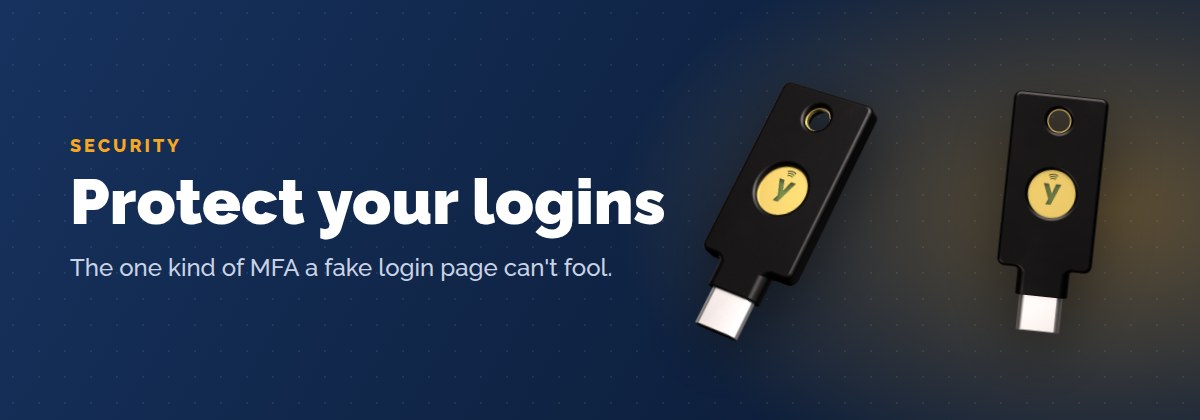
YubiKey 5C NFC
A security key is the one kind of multi-factor authentication a fake login page can’t fool. Plug it in or tap it to your phone. This is the model we recommend for most people. Buy two: one for your keychain, one as a backup.
Yubico Security Key C NFC
The budget version. Covers Microsoft 365, Google, password managers and other passkey logins at about half the price. A good fit for staff who just need email and one or two apps locked down.
Not sure which key? Our guide Why a Security Key Beats Texted Codes walks through every YubiKey style.
Kingston IronKey Locker+ 50 encrypted flash drive
If client files have to travel on a USB drive, they should be encrypted. This one is password protected and hardware encrypted, so a lost drive is an inconvenience instead of a data breach.
Keep the power clean

APC Back-UPS 600VA (BE600M1)
Battery backup for your modem, router and firewall. When the power blinks, the internet stays up, and your equipment rides out the surge instead of taking it. One of the cheapest ways to cut down on “the internet is down” calls.
CyberPower CP1500PFCLCD
Battery backup for a desktop computer, a small server or a NAS. Enough runtime to save your work and shut down cleanly, and its pure sine wave output is easy on modern power supplies.
Belkin 12-outlet surge protector
A real surge protector, not a $5 power strip. Rotating outlets leave room for chargers and power bricks.
Build a better desk
Dell P2425H 24″ monitor
Adding a second screen is the cheapest productivity boost there is. This Dell has a stand that adjusts for height and tilt and can turn sideways, plus the ports to connect to almost any laptop.
Plugable USB-C dual monitor dock
One cable from your laptop runs two monitors, your keyboard, mouse and network. Made for Windows laptops. Mac users, ask us first, since Macs handle multiple monitors differently.
Anker 7-in-1 USB-C hub
The travel version of a dock. HDMI, USB and an SD card reader in your laptop bag for conference rooms and client sites.
Logitech MK540 wireless keyboard and mouse
Full-size keyboard with a number pad, a comfortable mouse and batteries that last for years. Our default pick for desktops and docked laptops.
Calls and meetings

Logitech Brio 101 webcam
A big step up from most built-in laptop cameras, with a privacy shutter you can slide closed. Plug it in and Teams or Zoom finds it.
Logitech H390 USB headset
The inexpensive, reliable workhorse. Clear microphone, comfortable for all-day phone and Teams use.
Jabra Evolve2 30 SE
The upgrade for people who live on calls: better noise filtering, and a busy light so coworkers know you’re on a call.
Around the office
Brother QL-800 label printer
Address labels, file folders, shipping labels and asset tags without feeding sheets through the office printer. No ink to buy.
Samsung T7 Shield portable SSD
Fast, rugged external storage for large files and moving data between computers. Note: this is not a backup plan by itself. If you need real backups, talk to us.
TP-Link Deco X55 mesh Wi-Fi (home office)
For the home office with dead spots. Three units cover most houses. For the business office itself, we set up business-class Wi-Fi with separate guest access instead. See our guide to secure guest Wi-Fi.
Looking for something else?
Search Amazon for anything else on your list. Our affiliate tag comes along, so a purchase helps support this page at no extra cost to you.
Or browse popular picks: security keys · USB-C docks · battery backups · webcams · keyboards
Buying a new computer?
Call us first. Computers are where a small mistake gets expensive. A few rules of thumb for a typical office PC (email, web, QuickBooks Online, Microsoft 365, printing):
- Windows 11 Pro, not Home. Home can’t join a business network properly and lacks the security tools we use.
- Processor: Intel Core i5 / Core Ultra 5 or AMD Ryzen 5, current or last year’s model.
- Memory: 16GB.
- Storage: 512GB SSD.
- Laptop screen: 15.6″ or 16″ for an everyday machine, 13″ or 14″ if you travel with it.
Tell us what you need and we’ll send you a specific model that fits your budget, or order and set it up for you.
Questions?
We’re happy to help you pick the right gear, even if you buy it yourself. Call (410) 219-2695 or book a time.